Getting started with ArmyTrader SB
From zero to your first chart in about 15 minutes. Everything happens on this website — no phone call, no email needed.
What you need
- A Windows 10 or 11 PC (Mac users: run Windows with Parallels or Boot Camp).
- NinjaTrader 8 — free download. A free simulation account is enough to start.
- A stable internet connection. Up to 3 PCs per license.
Sign in
Click Start free and continue with Google. No password and no card.
Get your free license
Open My account and click Get ArmyTrader SB free. You receive a Member ID (W…) and a license key. (The international free beta opens soon — if the button says “opens soon”, you are already on the list.)
Install NinjaTrader 8
Download it from ninjatrader.com, install it, create your free NinjaTrader account and log in. Connect to Simulation (free practice data) or to your broker / prop-firm connection.
Run the ArmyTrader installer
In My account, click Download installer. Your license key is already inside — no typing. Close NinjaTrader, unzip the file and run 1_Install. If Windows shows “Windows protected your PC”, click More info → Run anyway.
Open the ArmyTrader chart
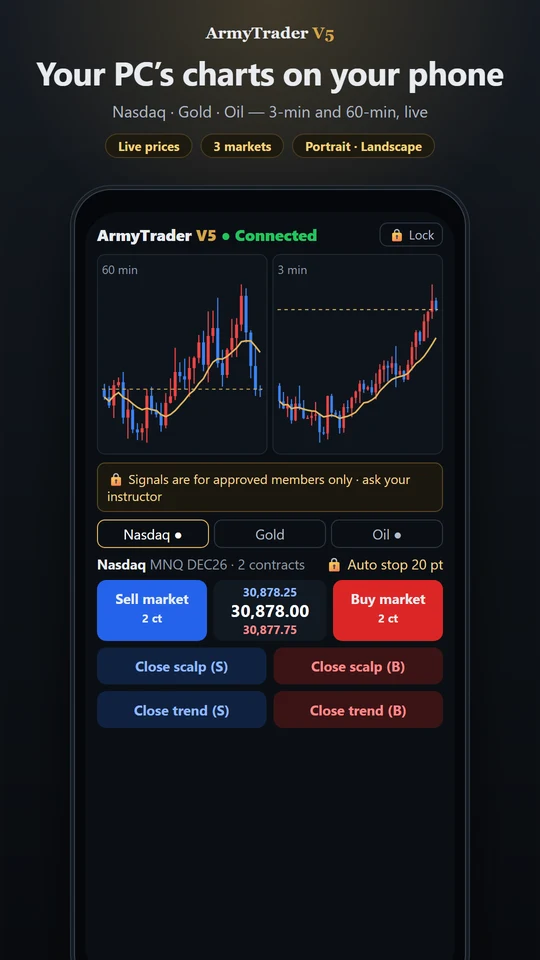
Run 2_Make charts (or open NinjaTrader → New → Chart and add the ArmyTrader indicator). Use the current contract of MNQ (Micro Nasdaq), MGC (Micro Gold) or MCL (Micro Crude Oil).
Check your setup
Back in My account, the setup checklist turns ✅ by itself when your PC connects. If something is wrong it tells you exactly what to fix.
Common problems
| You see | Do this |
|---|---|
| “Windows protected your PC” | More info → Run anyway (the installer is ours; Windows warns about every new program). |
| Wrong Member ID or key | My account → Get a new key, then download the installer again. |
| Key already used on 3 PCs | Use one of those PCs, or get a new key (the old PCs stop working). |
| Chart shows no signals | Check NinjaTrader → Connections (Simulation or your data feed) and use the current contract month. |
| Safety stop is active | Your daily loss limit was reached — it resets automatically. This is the feature that protects your account. |
Stuck at any step? Tap 💬 Help at the bottom right — our AI answers instantly, and a person takes over if needed.
Not financial advice. ArmyTrader SB shows signals; you decide and place every order yourself. Past results, including real member results, do not guarantee future profits. Futures trading involves a substantial risk of loss.